
WELCOME
Adobe Integrated Runtime (AIR) is a cross-operating system runtime environment developed by Adobe Systems for building rich Internet applications using Adobe Flex, Adobe Flash, HTML, or Ajax, that can be deployed as a desktop application. The Adobe AIR is a browserless runtime environment used to construct traditional desktop based applications.
Dozens of companies like National Geographic, eBay and Nickelodeon use the free Adobe AIR to create exciting new applications letting the user use their services on their desktop. Applications using Adobe AIR are easier, more powerful, more fun to use. Also using Adobe AIR adds to the security of most desktop runtimes by providing pertinent information about any application before it is downloaded and installed on a end user's system.
This website is a showcase for some of the most interesting AIR applications, in particular the focus is on applications related to entertainment, games and fun.
FEATURED FUN AIR APPS
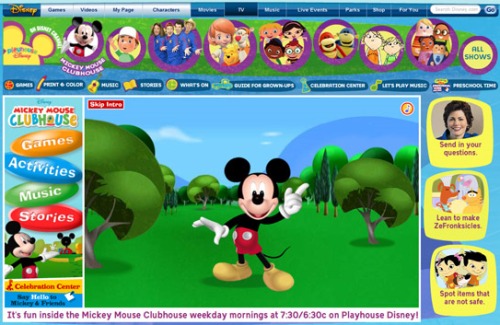
Kido'z
KIDO'Z is a web operating platform specially created for children between three and eight years old. KIDO'Z implements a personal protected Internet environment with a collection of special games and tools that enable the children to discover the Web exactly as adults use the Internet, but simply and intuitively, and without reading or writing.
Avatar Interactive Trailer
Avatar Interactive Trailer is an interactive trailer experience that allows the users to access special additional content embedded in the application, while keeping you updated on Avater events through real-time feeds of Tweeter conversations related to the movie and other sci-fi movies and video games, YouTube real-time updates on new video content and Flickr's images.

Avatar is the highest grossing movie ever, making over $2.7 billion at the box office. Not other movie has surpassed $2 billion. Created and directed by James Cameron, Avatar is an epic science fiction movie depicting the contact with an alien race, the Na'vi. The graphical effects are extraordinary, especially in the 3D version of the movie.
Fantasy Factor
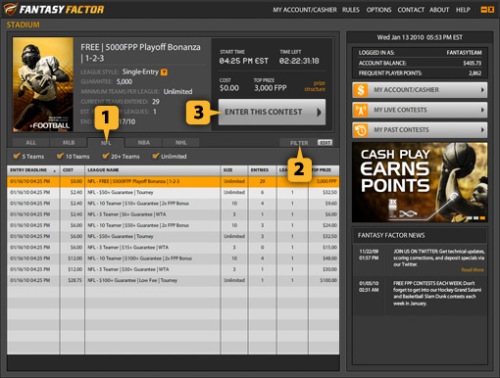
The FantasyFactor.com's desktop app let you play daily fantasy sports contests for free of for real cash prizes. FantasyFactor provides one-day fantasy sports contests featuring individual professional sports games like hockey, football, basketball or baseball, available in varying league sizes (from three players sit-and-go to large tournaments) and price points.
National Geographic
National Geographic has pushed the limit with their AIR app. As they offer all their magazines since 1888 in one single application. This newly released app built by EffectiveUI and powered by Adobe AIR includes the complete collection of every issue of National Geographic magazine, digitally reproduced in amazing high resolution.

Cirque du Soleil
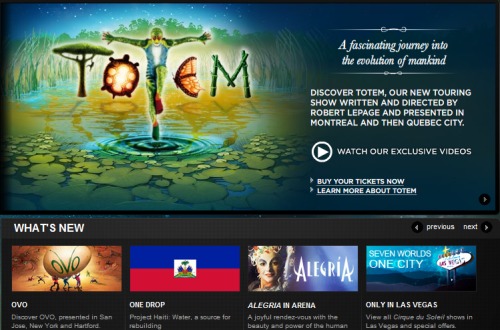
Cirque Du Soleil has developed a promotional desktop widget running on AIR, with videos, news and a gorgeous photo gallery.
Nickelodeon
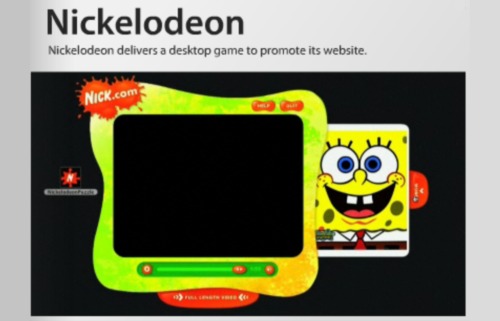
Nick's Adobe AIR application is a clever jigsaw puzzle game that requires young Nickelodeon fans to explore www.nick.com in order to find the pieces of a video. They can then drag the pieces to the application, and there is a new video puzzle released each week. Once the puzzle is completed, the video can be played within the AIR application.
Solo Hold'em Poker
This gaming fresh application was released on May 11th 2010. Developed by Kenny Schuyler who is an experienced poker player, Solo is a game of poker solitaire played against seven blind hands. Even non poker players find this game addictive. The next trend is online poker rooms like PokerStars moving to the mobile phone market. With Solo Hold'em Poker you play against the application, but soon you will be able to play with real human poker players as well.

21 Pro Blackjack
This AIR fresh app features the game of Blackjack that you can play from your iPhone or other mobile devices. This is a very realistic version of online blackjack opened to all skill levels. For beginners you can learn the game and ask the dealers about specific rules like splitting or taking insurance. For advanced players, this application has multiple imbedded card counting systems so that you can hone your blackjack skills while waiting for your plane at the airport.

Craps for Android
Android and mobile phones are changing the apps landscape rapidly. In just the past twelve months hundreds of new apps have appeared in this arena. And applications related to games of all sorts including online casinos are some of the favorites.

Craps by Harwin Apps is a great craps application especially for beginners. As it explains all possible types of bets while the game is running. A great way to pass time while waiting the bus or the train and to learn how to play craps at the same time.
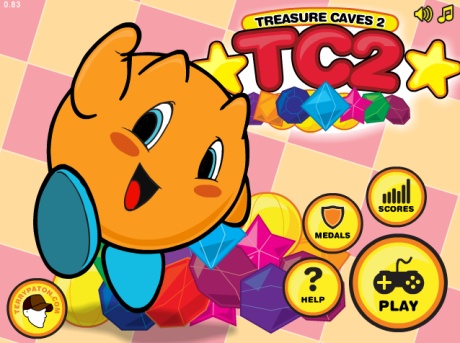
Treasure Caves Two
TC2 is a cute little game where you try to solve the puzzle in a cave by digging your way to the treasure. There are one hundred levels, so this time killer is sure to keep you busy for many hours if you have a long wait in front of you such as delayed planes at the airport.
The last iphone5 from apple just came up, read our review for more info.
We are reviewing more fun AIR apps and will be adding shortly to the list, so stay tuned. In particular we are in the process of reviewing a few online games but these are so addictive, it takes time to complete these reviews and it is more fun to just keep on playing these games.
Fitness Apps
One type of app that has seen an explosion in recent years is fitness apps. Some reasons for that are that people are getting more conscient abput their health, and apps are perfectly suited to follow one's progress.
There are too many to name so we will just mention mapmyrun, which is the best app for runners. Don't forget to stretch after running otherwise this can lead to injuries or tear at your joints.
Waste Management Apps
Apps for waste management streamline junk disposal processes, offering solutions for sorting, recycling, and removal. They enable users to schedule pickups for bulky items, hazardous waste, or recyclables, reducing landfill contributions.
This type of app often provides guidance on proper junk disposal methods and recycling options based on location, including dumpster rental services. Some of these apps incorporate features like barcode scanning to better identify recyclable materials and connect users with nearby local recycling centers. These state of the art apps may even include tracking functionalities to monitor waste production and set goals for reduction of said waste, targeting zero-waste.
By harnessing the latest AI technology, new waste management apps empower individuals and communities to make informed decisions about junk disposal, contributing to a more sustainable environment.

TESTIMONIALS
"We wanted for a long time to create a desktop presence. Previously, our team agreed it was too expensive and couldn't be done. Then along came Adobe AIR."
Alan Lewis Product manager eBay Desktop
"At Kale Realty we wanted to develop a more robust application to manage our real estate listings in Chicago."
Paul marketing manager Kale Realty
"With Adobe AIR, we can deliver highly interactive, easy-to-use applications that Nickelodeon fans can enjoy right away. It lets us take our services and brand from the web to the desktop, keeping viewers engaged whether they are online or offline."
Jason Root Senior Vice President Nick.com
SEARCH

SOME FRESH AIR
Adobe Integrated Runtime (AIR) is a cross-operating system runtime environment created by Adobe used to construct traditional desktop based applications. AIR can take advantage of protocols including FTP, AMF, JSON, SOAP and RTMP, combining the global connectedness of browser-based applications with the stability of first-class, local desktop apps.
One particular area of ubiquitous apps in weather related apps. With the weather getting more and more unpdrecitable, everyone and their mother will be using these apps when they are on the go or ready to get out, wherever they are located.
And this is not just about the weather itself. One app called Happy Lungs helps determine the air pollution level around you, and pollution is also a rising concern regarding our environment.
One new app for the weather is appropriately named Fresh Air, and it will display weather conditions in a nice and intuitive manner.
"For the people like us living on the East Coast of the USA, it is crucial to have good a weather forecast tool. With the recent storms and hurricanes in South Carolina and Florida, he was sometimes even impossible to drive on some roads, and we really needed a reliable weather app." - from Dallas Dumpster Rental Bros.
"The recent surge of storms on the East Coast not only makes havoc on local businesses and residents, but it also creates a mess of junk and debris that needs to be disposed of, leading to a surge in junk removal services." - from Daytona Dumpster Rental HQ.
Are used photovoltaic and hybrid solar panels recyclable? The answer is very clear: Yes, the solar panels can be 94.7% recycled. The solar recycling industry is very well organized, making solar one of the least polluting sources of energy. The environmental impact of solar panels is excellent and the recycling of solar panels is technically perfect. Respect for the environment plays a very important role at DualSun. The recycling of solar panels is ready.
"You should know that the industrial recycling sector for photovoltaic panels has been organized since the explosion of solar energy 10 years ago. Today the recycling industry is ready financially and technically. Also remember that the environmental impact of a solar panel is excellent. Indeed, in only 1.5 to 2.5 years of operation, the solar panel has "reimbursed" the energy necessary for its manufacture. 2.5 years over a 30-year lifespan, the carbon footprint of solar is one of the best among energy production systems. Especially if we compare it to the environmental impact of nuclear power for example. Note that the cost of managing the recycling of the photovoltaic panel is already included in its selling price through an ecoparticipation. This is also the case in household appliances, for example." - from Louisville Dumpster Rental HQ.
Glass is a material that lends itself perfectly to recycling. It can be melted and recycled over and over again without any loss of quality. The glass material consists of a mixture of sand, sodium carbonate - also called soda - and lime. During the production of new glass, temperatures between 1,500 and 1,600 °C are required to mix the three components. By using recycled glass, we are not only saving natural raw materials. Glassware also needs up to 25% less energy and more than half less soda to lower the melting point. We thus emit less CO2 and therefore contribute to the fight against global warming.
Recycling conserves resources as glass evolves within an entirely closed material cycle. It can be shaped endlessly for the production of new preserving glasses and bottles, without any loss of quality. In 2009, glass recycling saved 14.4 million tonnes of primary raw materials in Europe alone.
Recycling also improves the ecological balance. In recent decades, recycling of used glass has considerably improved the ecological balance of glass production: in the past 25 years, recycling and various technological innovations have enabled the European packaging glass sector to reduce by 70 percent CO2 emissions and waste load. Full recycling simply reduces waste. 74 percent of all glass bottles circulate in Europe each year in containers - about 30 billion recyclable bottles in glass packaging. Recycling generates energy savings too. The melting of used glass requires less energy than that of primary raw materials. The higher the percentage of used glass, the greater the energy savings: 10 percent of used glass generates 3 percent of energy savings and reduces CO2 emissions by 7 percent. - from Chicago Dumpster Rental Now.
We cannot talk about the environment without addressing the topic of waste and the climate of opinion is such that in all the polls which raise the question of the hierarchy of nuisances, water pollution, followed by pollution of the air and hazardous waste are the most recurring problems, the following is a list of environmental hazards. For each of them, can you tell me if, for your region, this constitutes a rather high or rather low danger, the wild rubbish dumps coming in first position.
With regard to the increase in the production of waste, one comes to a serious conclusion when one refers to figures, which alone are sufficient to give an idea of the scale of the phenomenon. Over the period 1993-1999, the amount of household waste discharged per capita increased by an average of 1.8% each year. Currently, a person produces on average 300 to 400 kg of household waste per year against 220 kg in 1960. The factors of this increase are linked to mass production and consumption, due to an improvement in the standard of living of the inhabitants, to new consumption patterns and to urbanization which generates waste insofar as it underpins a growing population increase.
Consequently, the latter, more and more numerous, consumes as required by the laws of nature and economics. However, our consumption is constantly increasing to improve our comfort and which says consumption also means waste. But faced with this inflation, what to do with all this waste and how to consume it while reducing the production of waste? - from Philadelphia Dumpster Rental Bros.
The retail giant Walmart is accused of illegally dumping millions of hazardous waste over several years. The case arose from a lawsuit filed in California against Walmart. The king of mass distribution in the United States is in fact accused of having illegally thrown away millions of hazardous waste, such as batteries or aerosols. Walmart is accused of having over the past six years disposed of hazardous waste in Californian landfills not allowed to treat this type of waste via dumpster rentals.
Batteries, aerosols, pesticides, toxic cleaning products, electronic waste or even leftover paint have been dumped in local recycling centers, and not in recycling centers capable of treating them. Confidential customer information also ended up in these dumps. The company, for its part, claims to respect waste management laws, claiming to have met with the state several times and, in an effort to avoid litigation, presented them with our industry-leading hazardous waste and dumpster rental programs. The state requires a level of compliance regarding waste disposal that goes beyond what is required by law. - from Near Me Dumpster Rental Lake Charles.